Terraform Workspace and Export
StatiBeat includes a dedicated Terraform workspace inside page admin so page operators can manage provider setup, Terraform credentials, and export/import workflows in one place.
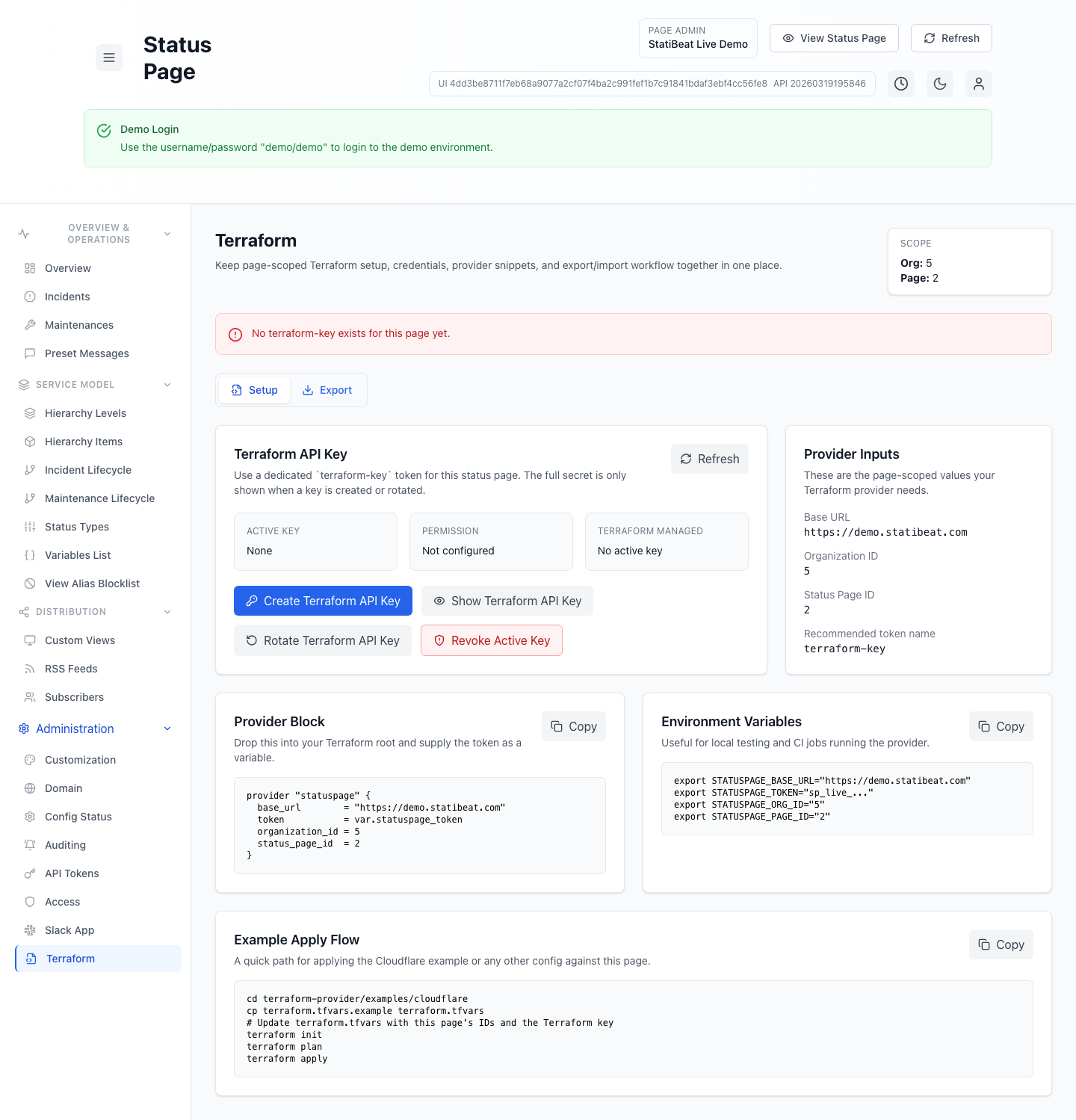
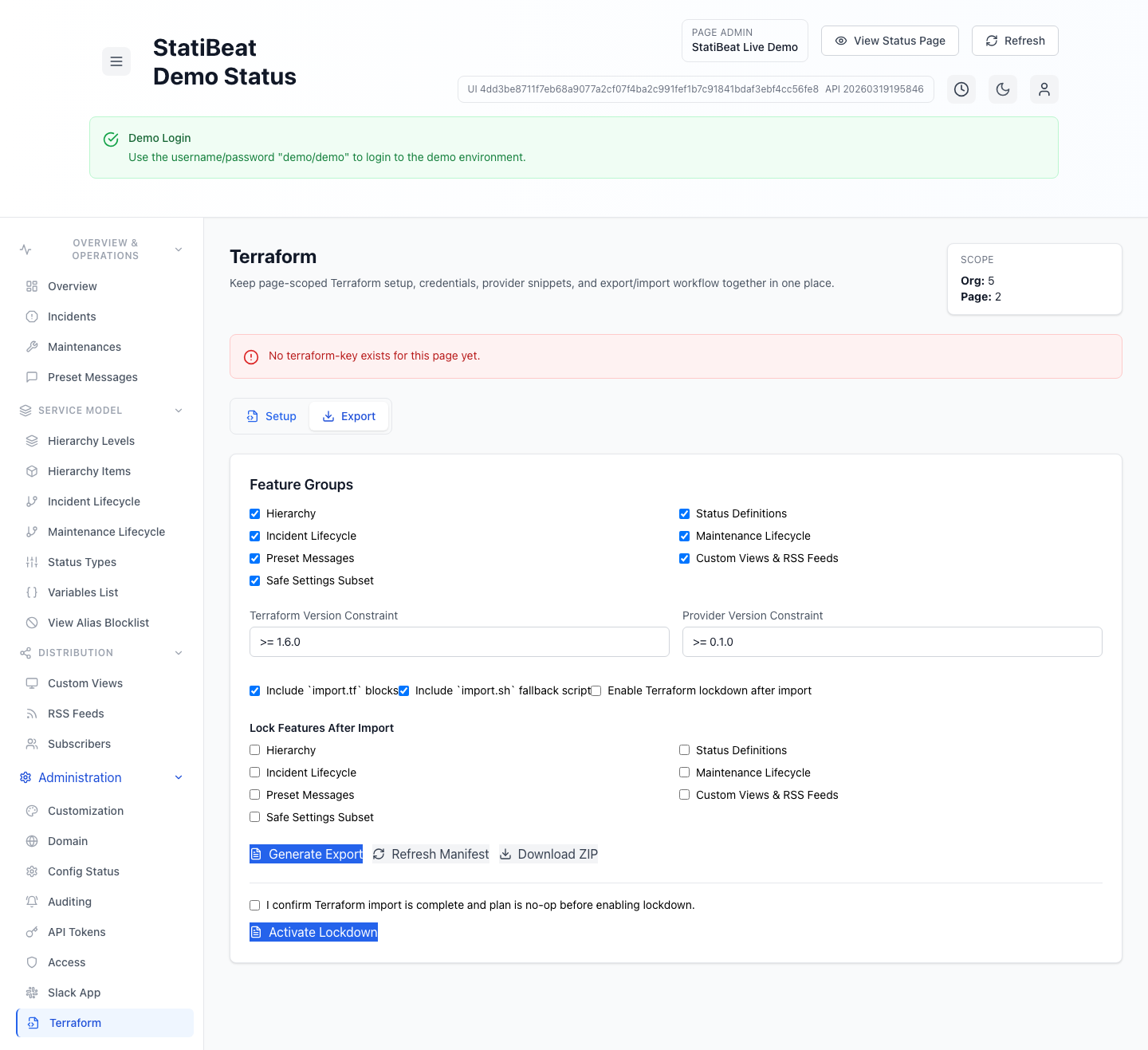
The dedicated Terraform workspace is where you should start if you want a page-scoped key, provider snippets, and an export package without hunting through multiple admin areas.
This guide is based on:
application/frontend/src/pages/admin/TerraformWorkspace.jsxapplication/frontend/src/pages/admin/TerraformExport.jsx
Workspace tabs
The current Terraform workspace has two tabs:
SetupExport
The setup tab is for credentials and provider configuration.
The export tab is for generating Terraform artifacts from existing page configuration.
Setup tab
The setup tab currently gives you:
- a dedicated
terraform-keytoken workflow - provider input values
- a provider block snippet
- environment variable examples
- an example apply flow
The page-scoped inputs surfaced in the UI are:
- base URL
- organization ID
- status page ID
Dedicated Terraform API key
The workspace uses a dedicated token name:
terraform-key
The current UI supports:
- create Terraform API key
- show latest Terraform key details
- rotate Terraform API key
- revoke active key
It also marks the token as:
permission: writeterraform_managed: true
The full token secret is only shown when a key is created or rotated. Treat that moment as your only reliable copy window.
Export tab
The export tab lets page admins generate Terraform artifacts from the current admin configuration.
The current export feature groups are:
- hierarchy
- status definitions
- incident lifecycle
- maintenance lifecycle
- preset messages
- custom views and RSS feeds
- safe settings subset
- RBAC roles, bindings, and SSO group mappings
Built-in RBAC is available on every plan that includes the surrounding admin surface. Custom RBAC requires advanced RBAC. If a workspace is downgraded, existing custom roles continue to authorize but become read-only until the workspace is upgraded again.
The export options also include:
- Terraform version constraint
- provider version constraint
- include
import.tfblocks - include
import.shfallback script - enable Terraform lockdown after import
Lock plan and lockdown
The export flow supports selecting features to lock after import.
The current lock-plan flow is:
- choose feature groups to export
- choose which features should be locked after import
- generate the export
- import and confirm Terraform is no-op
- explicitly confirm readiness
- activate lockdown
The UI requires a confirmation checkbox before lockdown activation. It explicitly tells operators to confirm import is complete and the plan is no-op first.
Manifest, warnings, and unsupported items
After generating an export, the workspace can show:
- warnings
- unsupported or excluded items
- a JSON manifest
That makes the export flow useful not just as a ZIP download, but also as a preflight review surface for what will and will not be represented in Terraform.
Practical guidance
Use the setup tab when:
- you need the page IDs and provider inputs
- you need a dedicated Terraform key
- you are wiring automation or CI
Use the export tab when:
- you already configured a page manually
- you want to bootstrap Terraform from the live configuration
- you want to move toward Terraform lockdown without recreating everything by hand
When export is better than handwritten Terraform first
Export is strongest when the page already exists and you want to capture current configuration as Terraform-managed state. Handwritten Terraform is usually better when you are starting from a clean design and want code to be the primary source of truth from the beginning.