Page Routing and Viewer Access
StatiBeat lets page admins manage both routing and access on the same screen: the page URL prefix, one platform-managed custom domain, page visibility, and private-page viewer authentication.
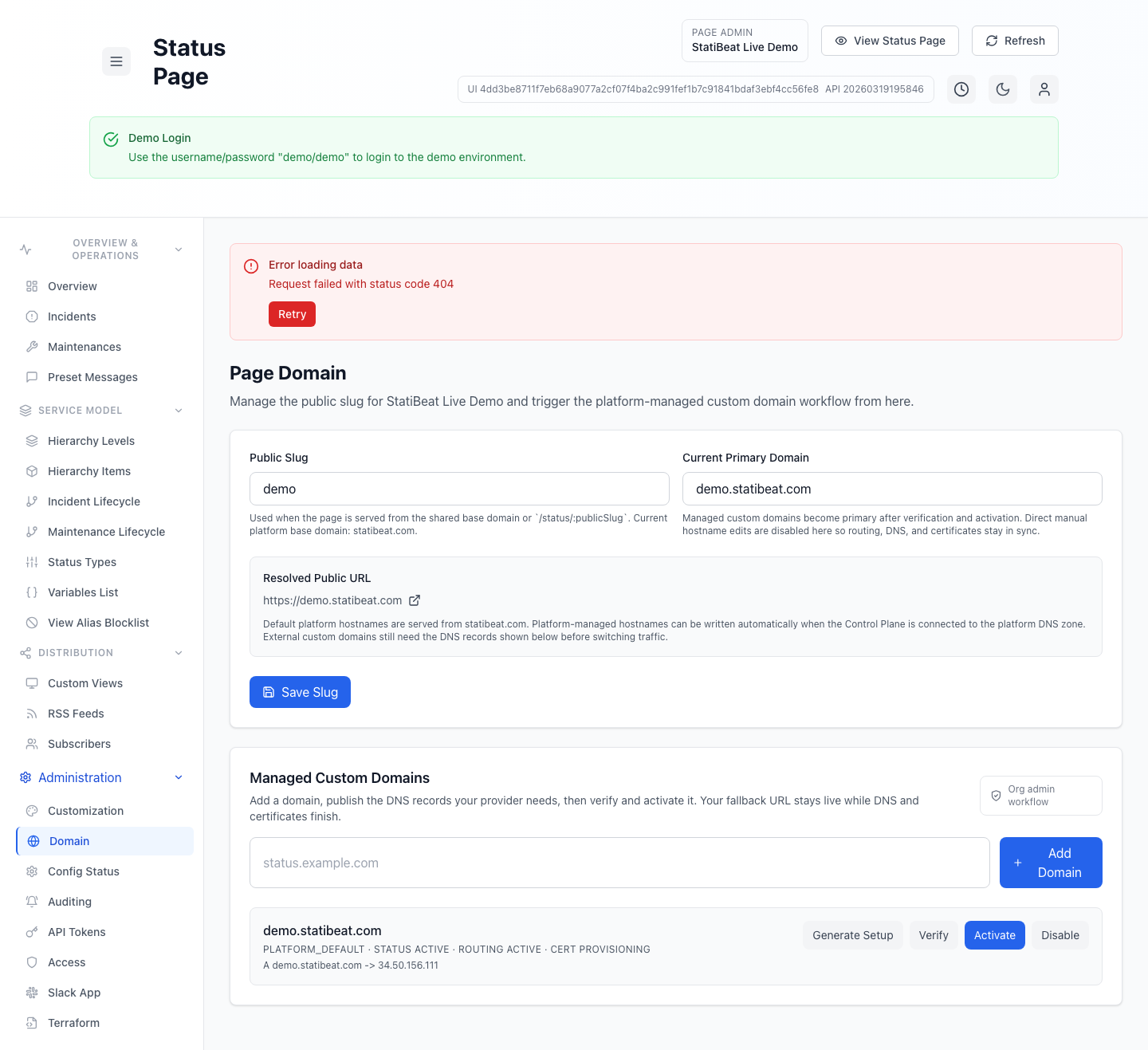
The fallback public URL stays useful even while DNS and certificate work for a custom domain is still in progress.
This guide is based on:
application/frontend/src/pages/admin/PageDomainManagement.jsxapplication/frontend/src/services/api.js
What the screen manages
The current UI supports four related configuration areas:
- the page URL prefix
- page visibility (
publicorprivate) - viewer access mode for private pages
- one managed custom domain
URL prefix
The URL Prefix field controls the short address segment used when the page is served from the platform base domain or the explicit /status/<url-prefix> route.
The screen also shows:
- current primary domain
- resolved fallback public URL
- active custom-domain URL when one is live
That makes it easier to confirm what visitors will actually open after a URL-prefix or domain change.
Private-page viewer access
When a page is private, the same screen controls how visitors authenticate.
The current access modes are:
- shared password
- viewer SSO
- shared password or viewer SSO
The UI also supports:
- setting or rotating the shared viewer password
- clearing the shared viewer password
- configuring a dedicated viewer SSO provider
Viewer SSO is separate from admin sign-in. It is for page viewers only, not for operators using /admin.
Viewer SSO provider settings
When SSO is available on the workspace, the viewer-access area also supports:
- OIDC configuration
- SAML configuration
- enable or disable the viewer provider
- saved-secret rotation without re-showing stored secrets
The current form exposes provider fields such as issuer or SSO URL, client credentials, redirect and ACS URLs, certificates, and claim or attribute mappings.
Managed custom domain
The managed domain workflow is designed to keep routing, DNS, and certificates coordinated instead of expecting manual hostname edits in multiple places. Each page can have one primary custom domain plus its fallback StatiBeat URL.
The current UI shows domain state such as:
- kind
- status
- routing status
- certificate status
- verification record and value
- resource records
- last error
- routing error
Practical workflow
Based on the current admin screen, a normal routing-and-access flow is:
- choose or update the page URL prefix
- keep the page public, or switch it to private
- if private, save a shared viewer password or enable viewer SSO first
- add and verify the managed custom domain
- activate the custom domain once verification and certificates are ready
The UI explicitly keeps the fallback URL available while DNS and certificates finish. That is helpful when you want to stage a cutover without taking the page offline.
Operational guidance
Good routing hygiene in StatiBeat usually means:
- keeping the URL prefix stable even if a custom domain is also in use
- treating viewer access policy as part of page routing, not as an afterthought
- using the resolved public URL as the final verification point
- treating certificate and routing states as separate checks