Page Access
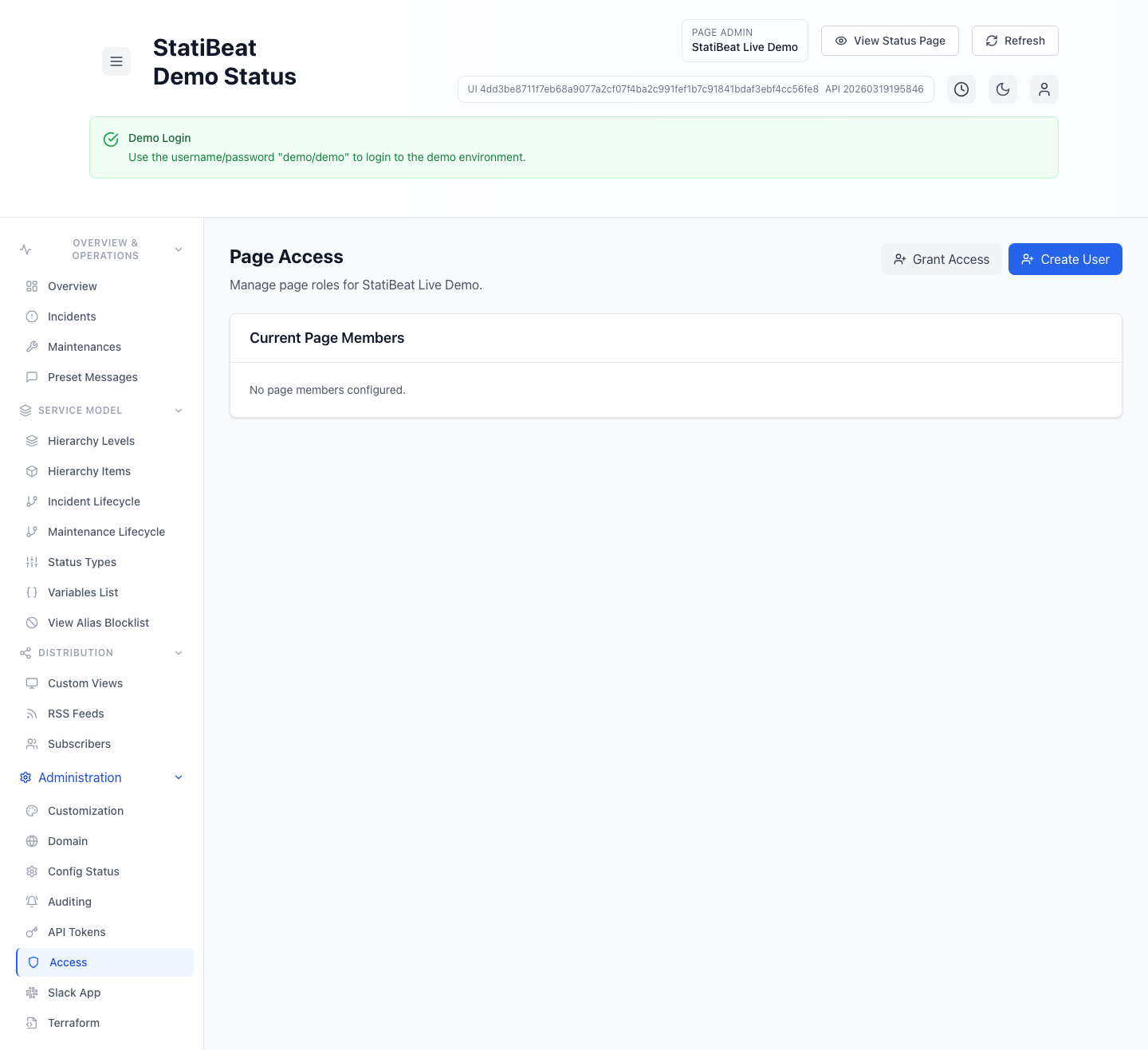
StatiBeat separates organization-level administration from page-level access. Page access controls who can operate a specific status page and at what role.
Treat page access as its own permission boundary. Org admin visibility does not automatically imply page-admin responsibility for every page.
This guide is based on application/frontend/src/pages/admin/PageAccessManagement.jsx.
What the page access screen supports
The current UI supports three main workflows:
- list current page members
- grant an existing organization user page access
- create a new user and grant page access immediately
It also supports removing page access from an existing page member.
Page roles
The built-in page role choices are:
viewermanageradmin
When advanced RBAC is enabled, the same screen also supports:
- custom page role definitions
- assigning custom page role keys to users
- keeping existing custom assignments active even if a later plan downgrade makes those definitions read-only
Granting access to an existing user
The Grant Access flow lets a page admin:
- select an existing organization user who does not already have page membership
- choose any currently assignable page role
- save the membership or binding
The screen filters out users who already have access so the assignment list stays focused on eligible users.
Creating a user with page access
The Create User flow currently supports:
- username
- password
- initial page role
This creates the organization user and assigns page access in one step.
Custom page roles
The current screen also includes a Custom Page Roles card.
That lets teams define page-scoped bundles so permissions for incidents, maintenance, hierarchy, subscribers, Slack, and other admin surfaces can be delegated more precisely than the built-in roles allow.
If the workspace does not currently include advanced RBAC, the UI keeps existing custom roles visible but read-only.
Removing access
The current UI includes a confirmation flow before removing page access.
That matters because page memberships and page role bindings are the main way to control who can manage incidents, settings, and other page-admin actions.
Practical guidance
Good page access habits usually look like this:
- use
viewerwhen someone only needs visibility - use
managerwhen someone needs day-to-day workflow control - use
adminor a custom governance role when someone owns page configuration
Why page roles matter separately from org roles
StatiBeat intentionally separates tenant administration from page operations. That keeps page ownership clearer and makes it easier to scope responsibilities for teams that run multiple status pages with different operators.
Related docs
- See SSO and Access
- See Application Overview