Public Status Pages
The public status page is the customer-facing surface of StatiBeat.
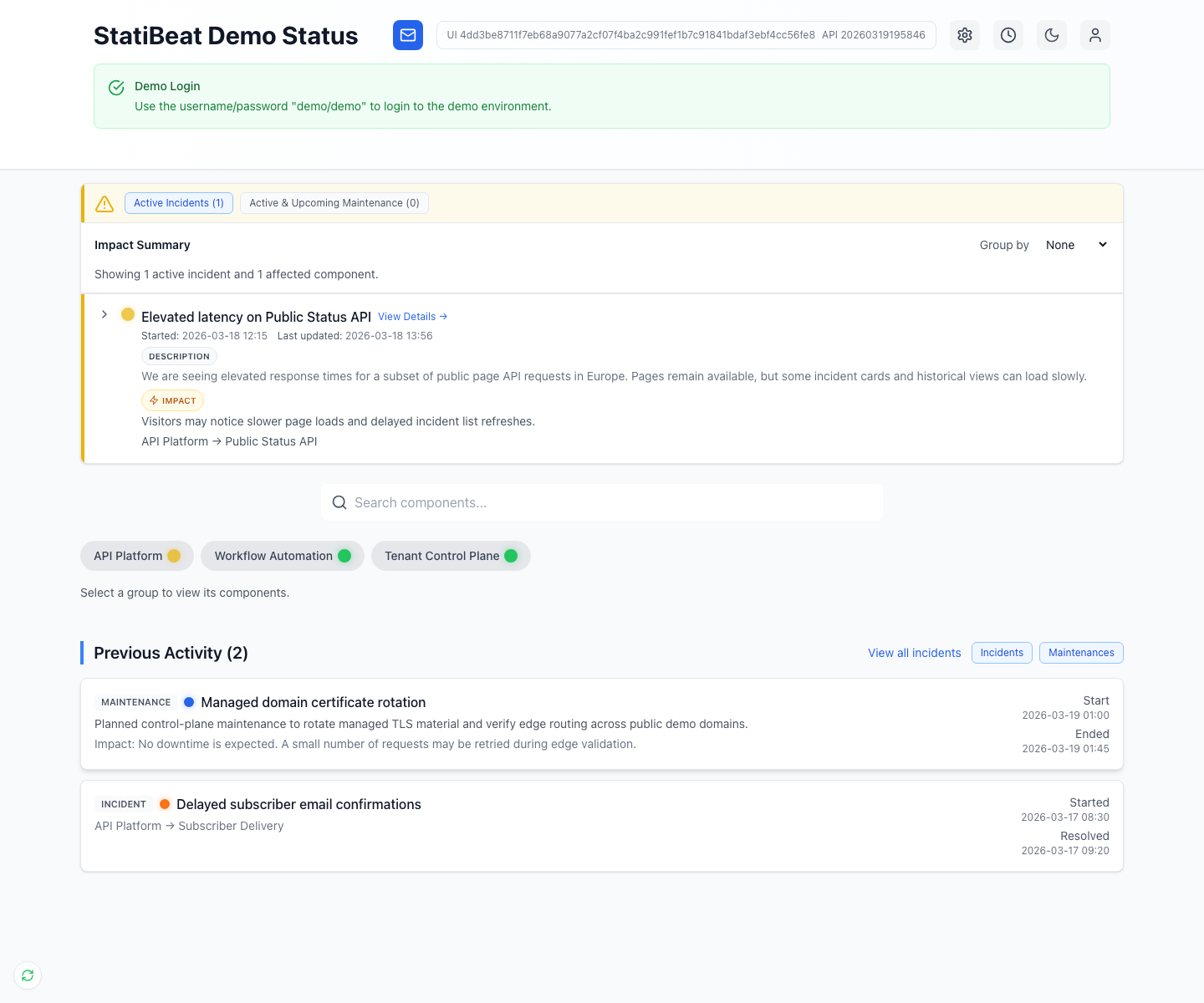
The public page is designed to answer two questions quickly: what is affected right now, and what changed recently.
What the page shows
Based on the current frontend implementation, the status page can render:
- an overall current status area
- active incidents
- active and upcoming maintenance
- a service or component hierarchy
- previous activity
The homepage order and visibility of sections are configurable through site settings. The frontend normalizes homepage_section_order and homepage_hidden_sections when rendering the page.
The current page supports grouping and filtering in the impact summary area, which makes hierarchy quality especially important for customer-facing clarity.
Routing and access
The public routes support both:
- current-host routing
- explicit
/status/<url-prefix>routing
If the page is private, visitors are gated before page data loads. The current application supports:
- shared viewer password
- viewer SSO
- shared password or viewer SSO
Those private-page rules are resolved by the same frontend route layer that loads the public page.
Detail routes
Users can navigate from the homepage into:
- service detail pages
- incident detail pages
- maintenance detail pages
Page presentation settings
The admin customization page and the Terraform statuspage_site_settings resource both expose controls for incident-card presentation, including:
- primary message mode
- whether affected summary appears
- whether started and last-updated timestamps appear
- whether impact text appears on collapsed cards
- whether a
view detailslink appears
Default component behavior
The customization UI also supports:
- showing a component by default
- selecting a default component item
Those fields are backed by the admin settings payload used in application/frontend/src/pages/admin/Customization.jsx.
What this means operationally
You can keep the same underlying data model while changing how much history or structure appears on the public homepage. That is useful if you want different communication styles at different stages of the product.