Customizing Your Status Page
StatiBeat includes a dedicated customization area for branding, homepage layout, incident card display, email delivery, notification policies, and access governance.
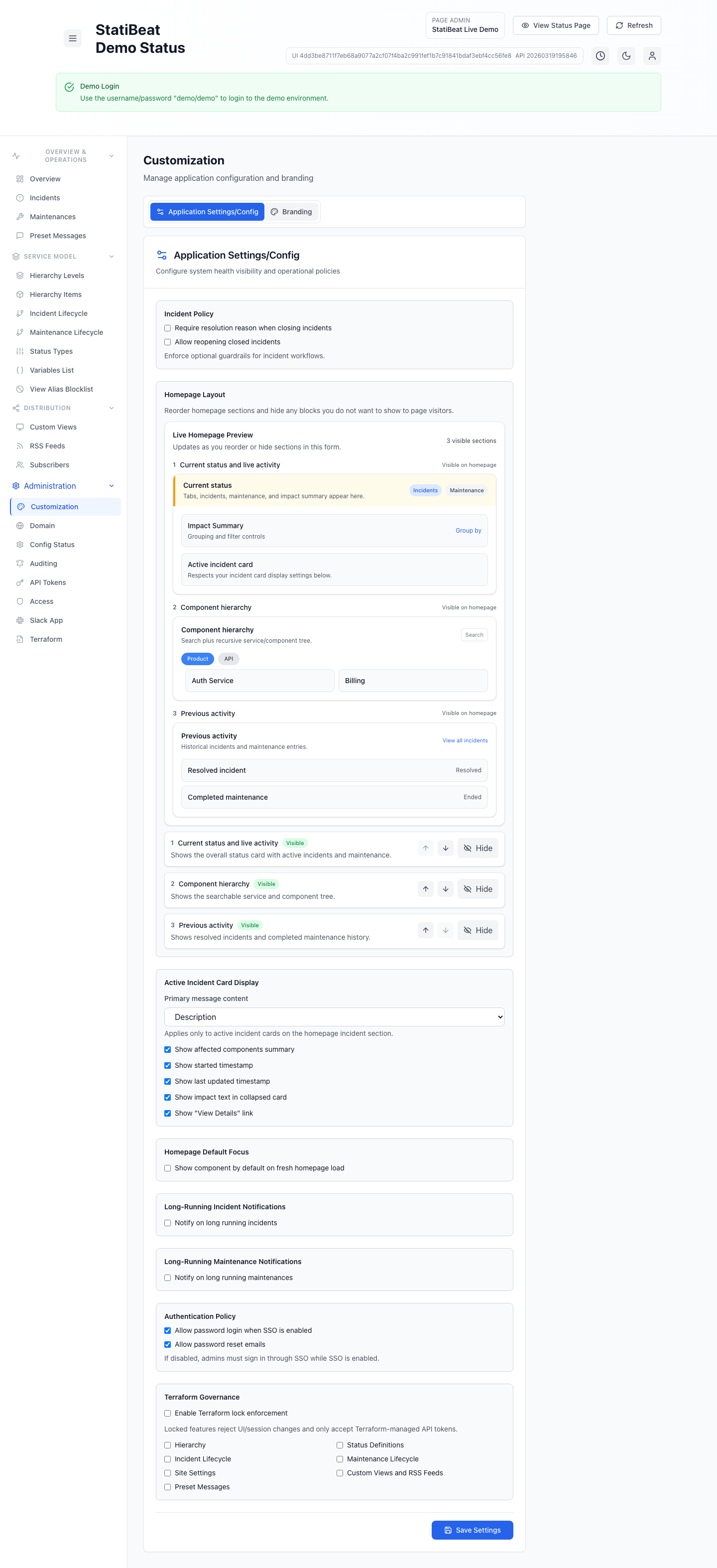
Customization in StatiBeat is not only visual. The same area also controls homepage behavior, incident-card content, email delivery, long-running notifications, and authentication or Terraform policy settings.
This guide is based on the current implementation in application/frontend/src/pages/admin/Customization.jsx.
Main customization areas
The current UI has five top-level tabs:
HomepageBrandingIncidentsNotificationsAccess
Branding
The branding tab currently supports:
- site title
- show or hide title text
- light-mode logo URL
- dark-mode logo URL
- live header preview in light and dark themes
A few current behaviors matter:
- you can run logo-only branding by leaving the title empty
- logo URLs must be public
httporhttpsraster image URLs - dark logo is optional
- the UI prevents saving if there is no visible branding at all
The live UI includes a light and dark preview so you can catch bad logo sizing or poor contrast before publishing changes.
Homepage
The homepage tab includes layout controls, hierarchy browsing defaults, and default landing focus.
The current homepage sections are:
Current status and live activityComponent hierarchyPrevious activity
Admins can:
- reorder sections
- hide sections
- preview the visible order live inside the admin UI
- choose the default hierarchy browsing mode
If every section is hidden, the UI warns that visitors would have nothing to land on.
The current hierarchy display modes are:
Tree ViewBasic View
Incident settings
The incidents tab lets you control how active incident cards look on the homepage and how incident workflows behave.
The current options include:
- primary message content
- show affected components summary
- show started timestamp
- show last updated timestamp
- show impact text in collapsed card
- show
View Detailslink
Primary message content currently supports:
- description
- latest status update
- description then latest status update
- latest status update then description
- none
Why these options matter
This is one of the easiest places to tune how much detail customers see at a glance. Teams that prefer concise updates may want to lead with the latest update, while teams handling more complex incidents may want the description and latest update together.
Homepage default focus
The application can also open the homepage focused on a selected hierarchy item by default.
The current workflow is:
- Enable
Show component by default on fresh homepage load. - Pick a hierarchy item from the selector.
The helper text in the UI notes that any level is allowed.
Incident policy controls
The incidents tab currently includes incident guardrails such as:
- require a resolution reason when closing incidents
- allow reopening closed incidents
These are operational policy choices, not just cosmetic settings.
Notifications
The notifications tab currently combines outbound email settings with long-running incident and maintenance alerts.
Email delivery
The current email delivery UI supports:
Platform defaultCustom SMTPon eligible paid plans- optional reply-to address
When custom SMTP is enabled, the form also supports:
- from name
- from address
- SMTP host
- SMTP port
- SMTP username
- SMTP password
The platform-managed sender remains available as the default and fallback path, and the UI requires a sender address when custom SMTP is selected.
Long-running incident notifications
The notifications tab currently supports long-running incident notifications with:
- enable or disable toggle
- Slack notifications
- email notifications
- recipient list
- no-update threshold in hours
The current validation requires at least one notification channel when this feature is enabled.
Long-running maintenance notifications
The same tab also supports long-running maintenance notifications with:
- enable or disable toggle
- Slack notifications
- email notifications
- recipient list
- notify-after-end threshold in hours
Access and governance
The access tab contains authentication policy controls and Terraform governance settings.
Authentication-related settings
The current settings form includes:
- allow password login when SSO is enabled
- allow password reset emails
If password login is disabled while SSO is enabled, admins must sign in through SSO.
Terraform lockdown
The current customization code includes Terraform lockdown support for specific feature groups.
The locked feature list currently includes:
- hierarchy
- status definitions
- incident lifecycle
- maintenance lifecycle
- site settings
- custom views and RSS feeds
- preset messages
- RBAC roles, bindings, and SSO mappings
If you use the Terraform export or provider heavily, this area matters because it defines which parts of the admin UI can be protected from manual drift.
Because this page mixes branding, operational policy, and Terraform governance, it is worth documenting your team’s intended defaults so accidental config drift is easier to spot.