Incident and Maintenance Lifecycles
StatiBeat lets you define both incident lifecycle stages and maintenance lifecycle stages in the page admin workspace.
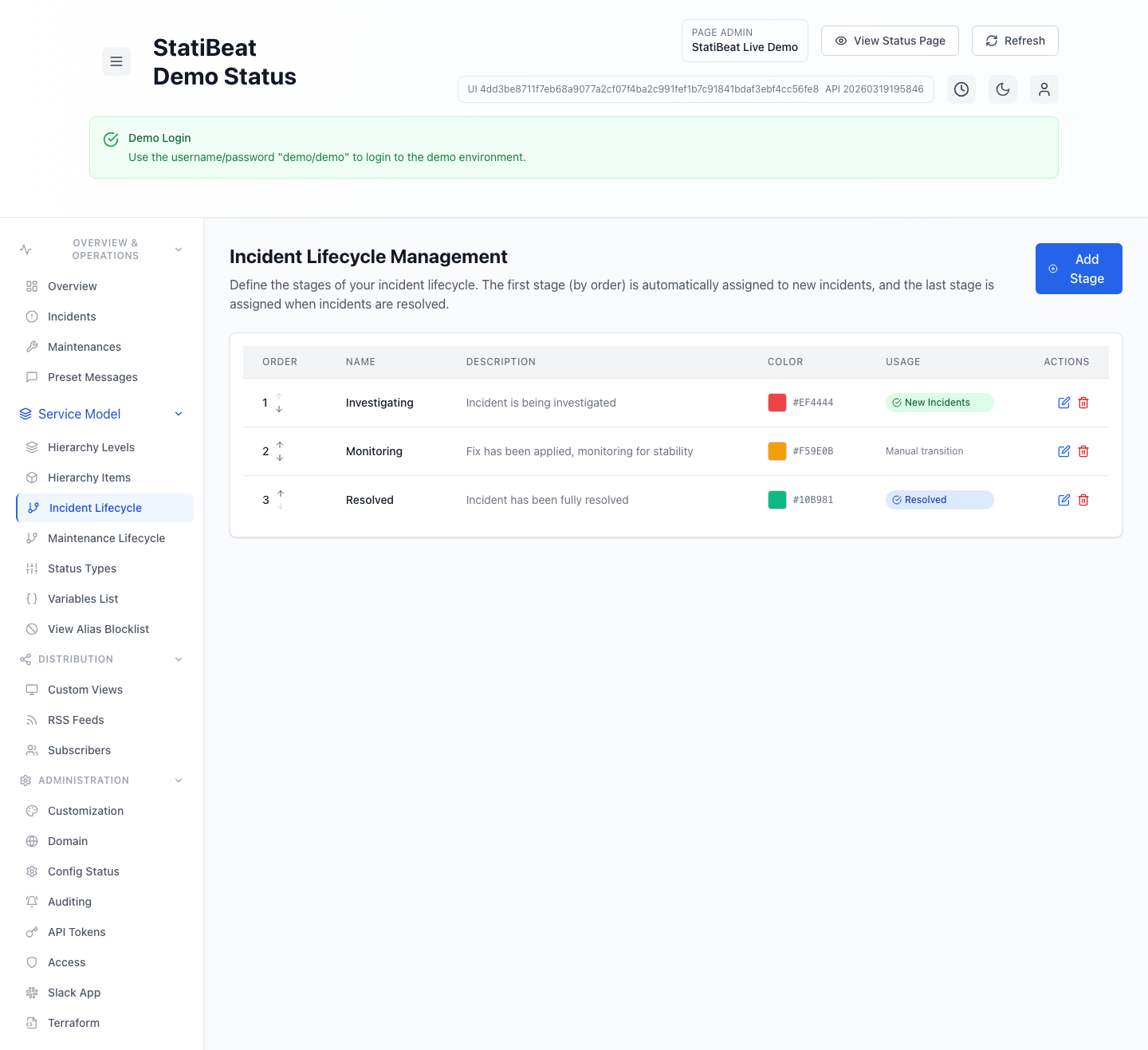
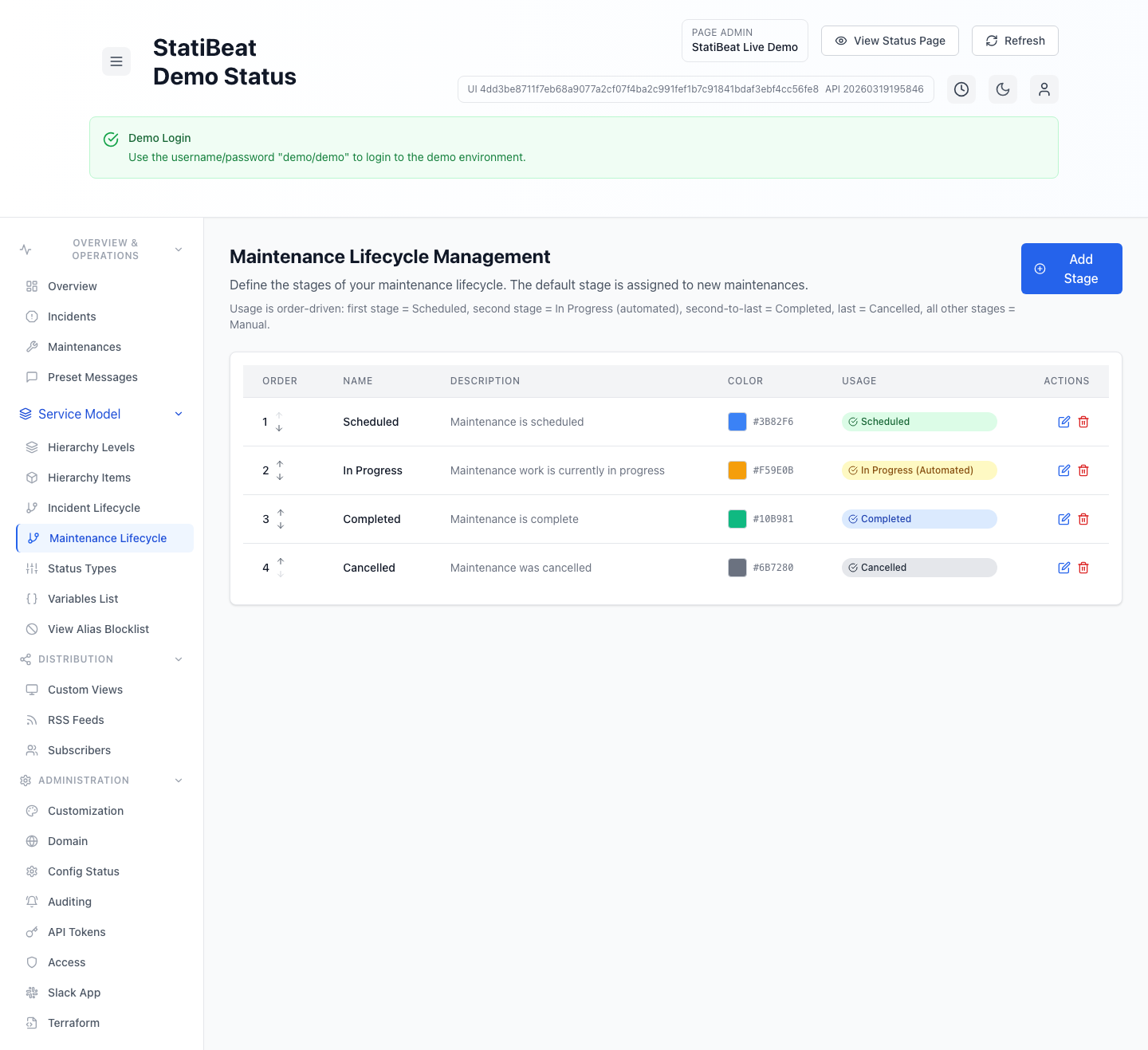
Lifecycle ordering matters. In the current product, order is not just cosmetic. It controls real default behavior.
This guide is based on:
application/frontend/src/pages/admin/LifecycleManagement.jsxapplication/frontend/src/pages/admin/MaintenanceLifecycleManagement.jsx
Incident lifecycle behavior
The incident lifecycle screen manages ordered stages for incidents.
In the current implementation:
- the first stage is automatically assigned to new incidents
- the last stage is assigned when incidents are resolved
- middle stages are manual transitions
The stage form supports:
namedescriptioncolor
The admin page also supports:
- create
- edit
- delete
- reorder
- initialize defaults
Maintenance lifecycle behavior
Maintenance lifecycle management is also order-driven, but with more fixed meaning across the list.
The current UI explains the order like this:
- first stage =
Scheduled - second stage =
In Progress (automated) - second-to-last stage =
Completed - last stage =
Cancelled - everything else = manual
That means maintenance stage order has stronger semantic meaning than incident stage order.
For maintenance workflows, changing stage order can change how automated transitions behave, not just what labels appear in the UI.
Defaults and initialization
Both lifecycle screens support an Initialize Defaults action when no stages exist yet.
That is useful if you want to start from the built-in model and refine it, instead of building a lifecycle from scratch.
Practical guidance
For incidents:
- make the first stage something like investigation or acknowledgement
- keep the final stage clearly resolved
- use intermediate stages only if operators will actually use them
For maintenance:
- keep the order aligned with actual operational milestones
- avoid inserting extra stages unless your team really needs them
- remember that
Scheduled,In Progress,Completed, andCancelledare position-sensitive in the current model
Why this matters for customer communication
Lifecycle stages often show up in admin workflows, filters, and operator habits. If the stage model is too complicated, operators stop using it consistently. If it is too vague, customers and teammates get less meaningful status updates.